Delete your account
Deleting your account removes your whole dream journal from our servers. It cannot be undone.
In the app
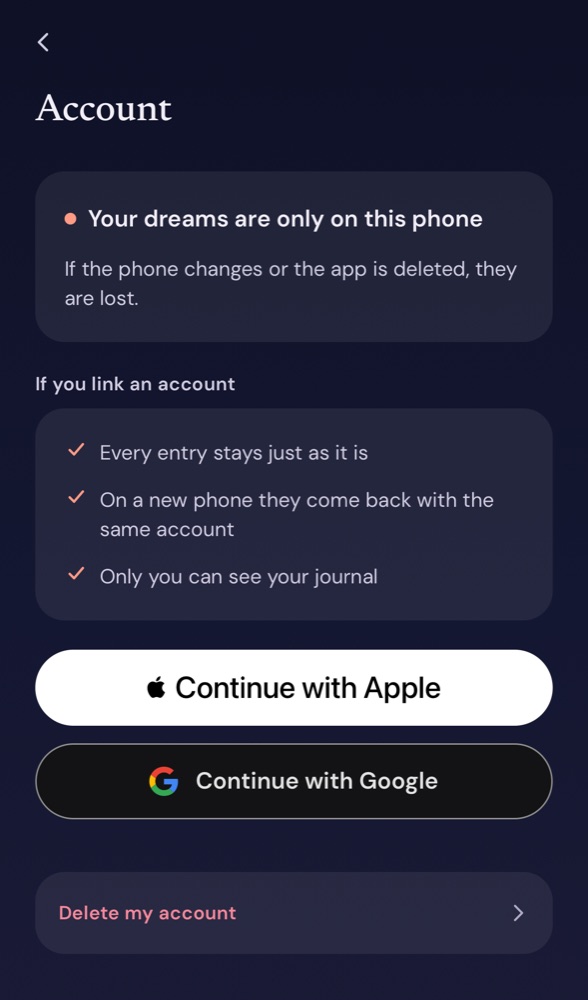
- Open Settings → Account.
- Tap Delete my account at the end of the page.
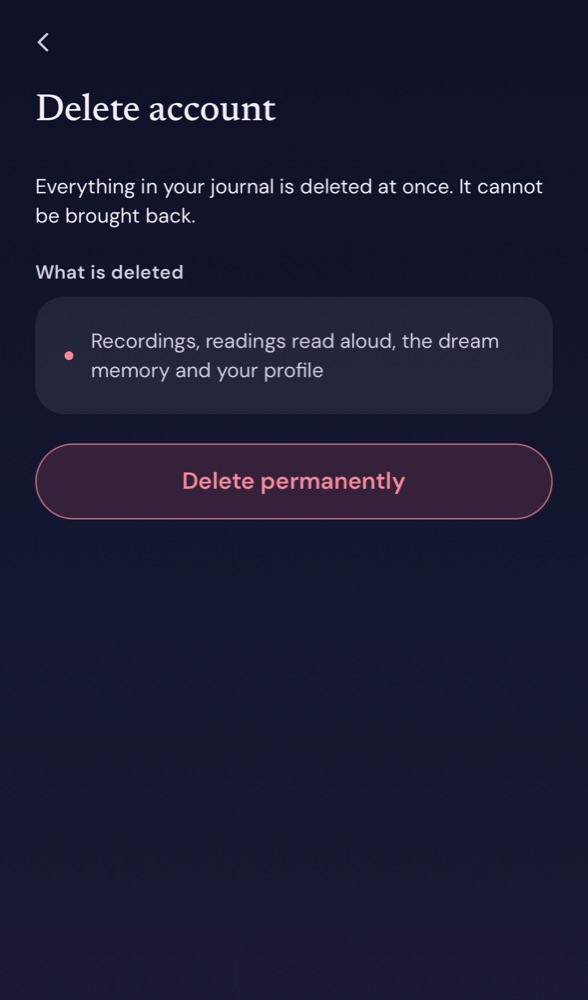
- Check what will be deleted and tap Delete permanently.
Your account is deleted at once.
Without the app
If the app is no longer on your phone, write to support@nighttold.app from the email address you signed in with and ask us to delete your account. If you never signed in, tell us roughly when you last used the app. We delete it within 30 days and write back when it is done.
What is deleted
Your recordings and their text, readings, answers to your questions, dream pictures, readings read aloud, monthly look-backs, your dream memory, your profile and your account. Nothing is kept.
If you pay for a plan, cancel it in Google Play or the App Store as well; deleting your account does not stop the store from charging.
Hesabını sil
Hesabını silmek, rüya defterinin tamamını sunucularımızdan kaldırır. Geri alınamaz.
Uygulamadan
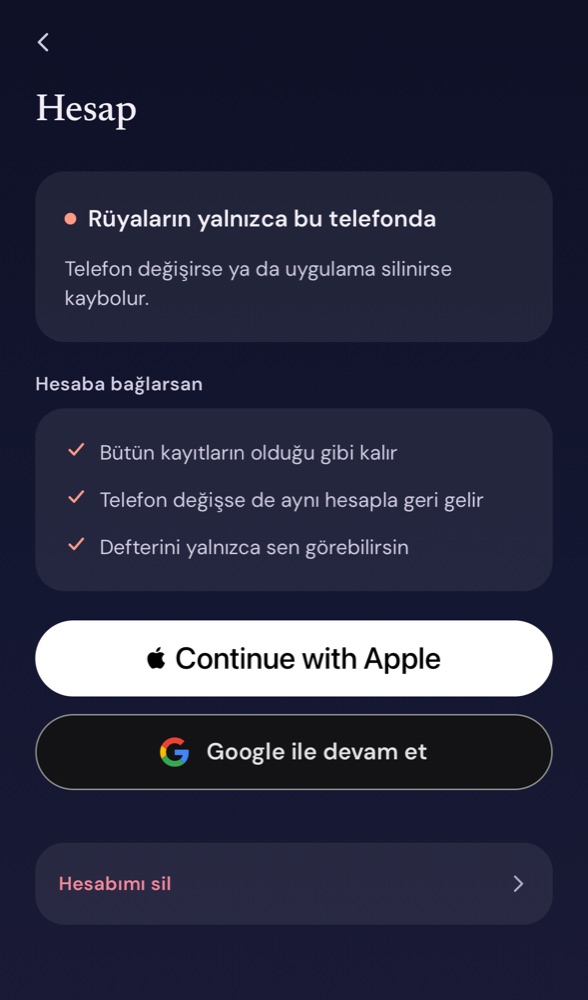
- Ayarlar → Hesap'ı aç.
- Sayfanın sonundaki Hesabımı sil'e dokun.
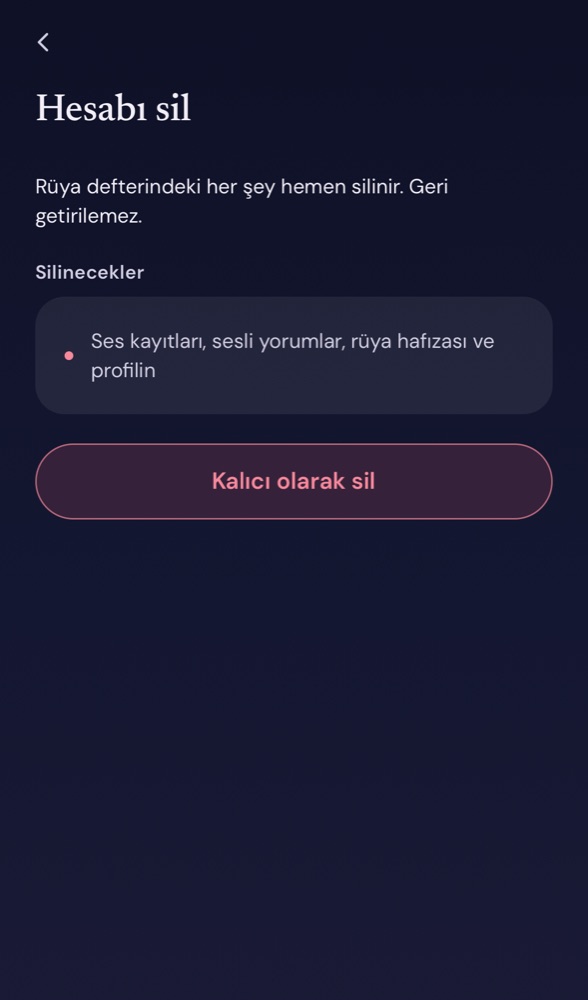
- Silinecekleri gör ve Kalıcı olarak sil'e dokun.
Hesabın hemen silinir.
Uygulama olmadan
Uygulama artık telefonunda değilse, giriş yaptığın e-posta adresinden support@nighttold.app adresine yazıp hesabının silinmesini iste. Hiç giriş yapmadıysan uygulamayı en son ne zaman kullandığını yaz. 30 gün içinde sileriz ve bitince haber veririz.
Neler silinir
Kayıtların ve metinleri, yorumlar, sorularının cevapları, rüya görselleri, sesli yorumlar, aylık özetler, rüya hafızan, profilin ve hesabın. Hiçbir şey saklanmaz.
Ücretli bir paketin varsa onu Google Play ya da App Store'dan da iptal et; hesabı silmek mağazanın ödeme almasını durdurmaz.